Twenty PDFs go out to ten people. Everyone reads everything.
Everyone forms their own opinion. Then a room full of senior
staff sits down for two hours arguing about whether to bid.
Half the time, the answer is no-bid anyway.
~200 person-hours per pursuit
10 people reading the same documents
~50% of that work thrown away
What if it looked like this instead
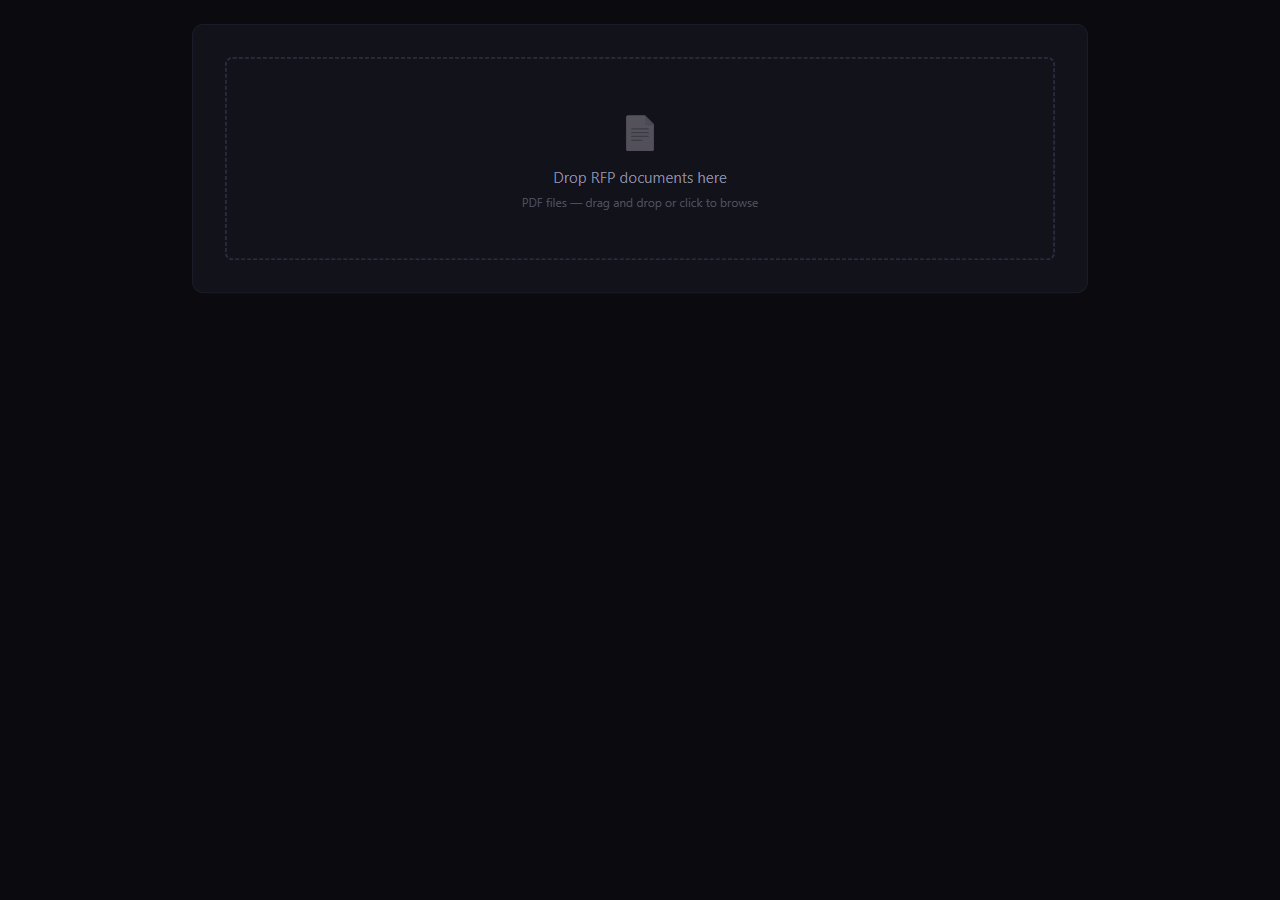
Before — drop zone
→
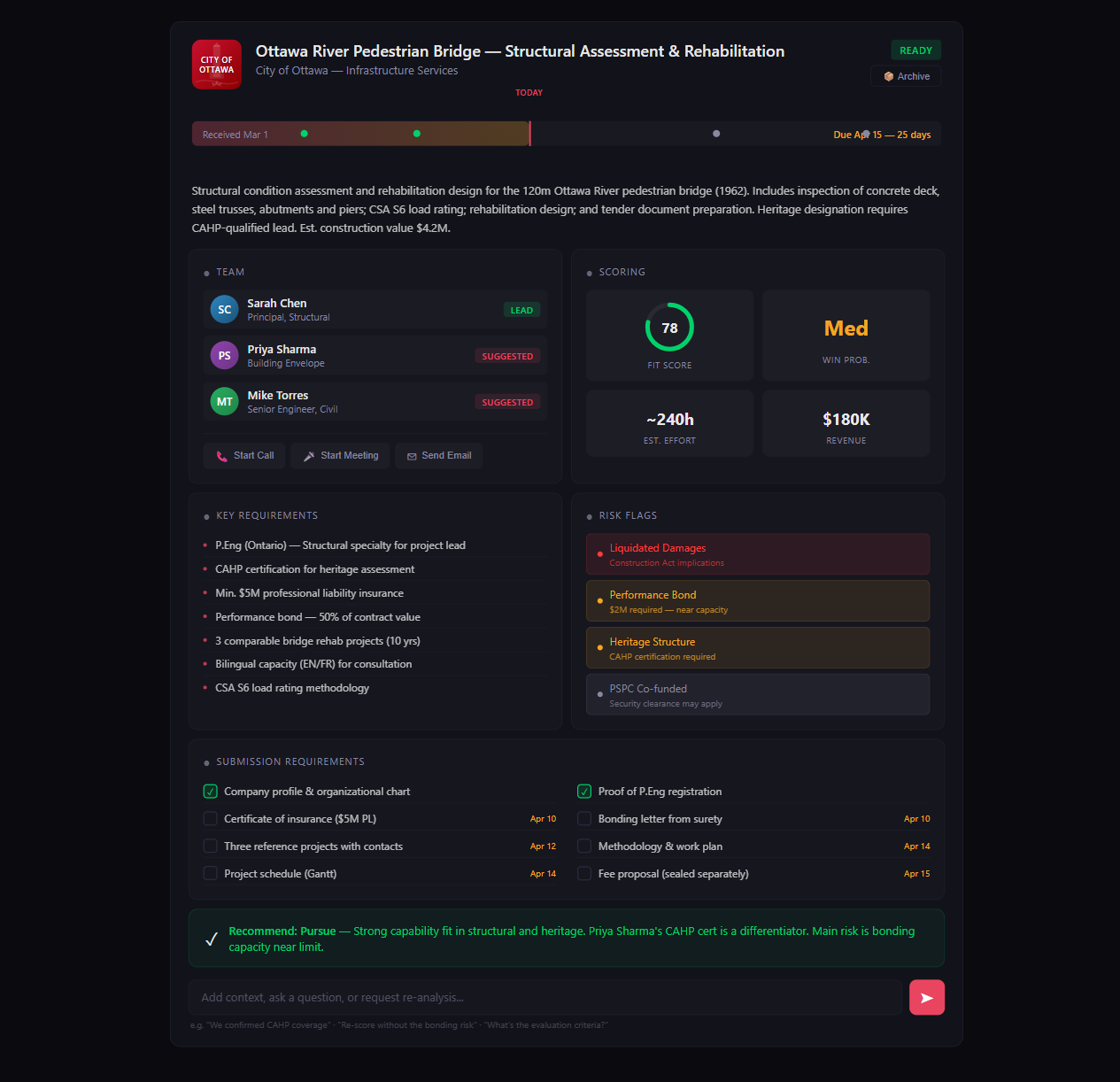
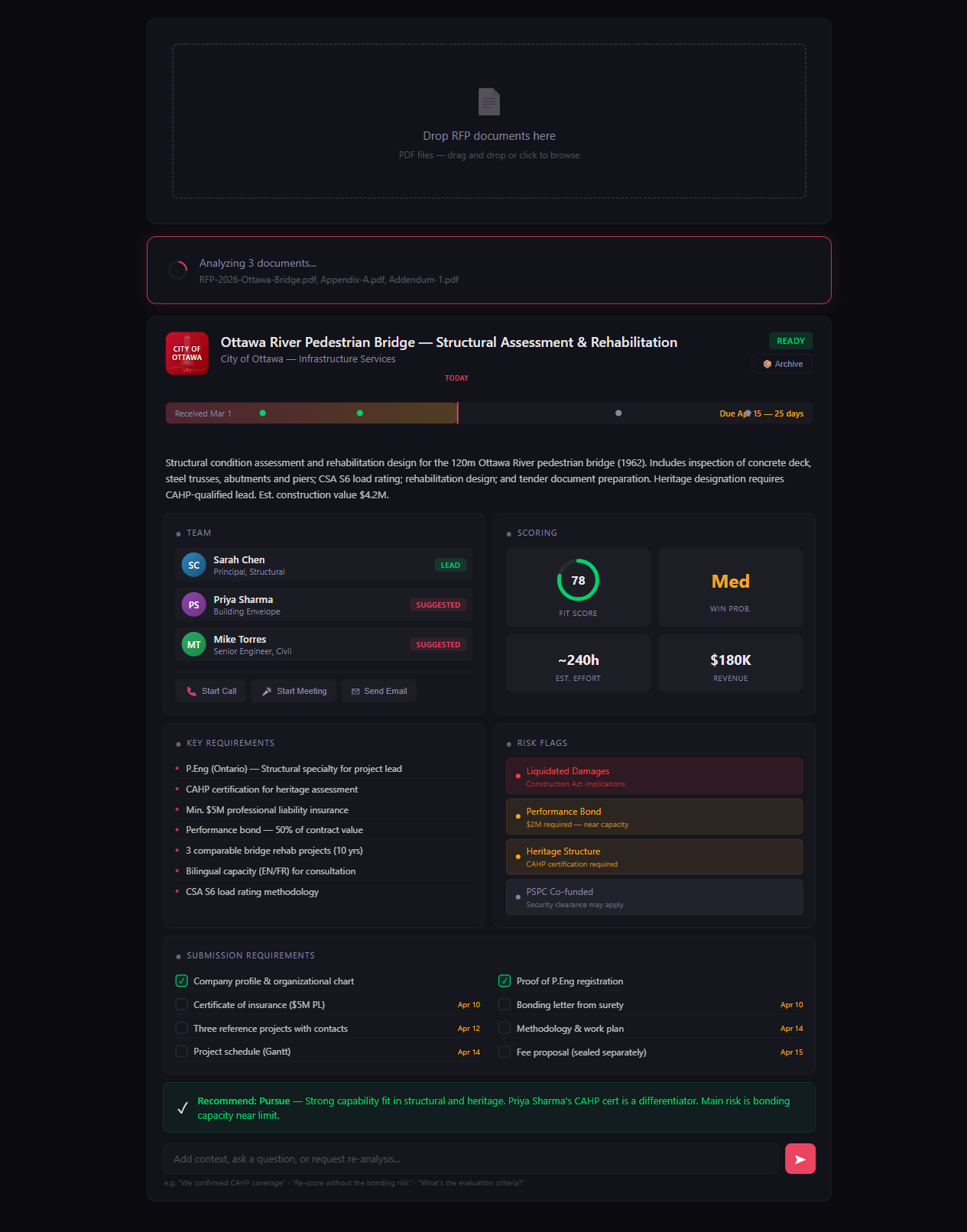
After — fully analyzed
Drop the documents. Walk away. Come back to a fully-analyzed pane.
A Monday morning, with this in the workflow
What it actually feels like.
8:42 AM
RFP arrives
City emails twelve PDFs and an Excel addendum. Submission due in three weeks.
8:43 AM
Drop into RFPreview
Drag the whole folder into a new pane. Close the email tab. Make coffee.
9:14 AM
Sit down to a finished read
The pane is fully populated. Scope, deadlines, risk flags, fit score, suggested team — already there.
9:22 AM
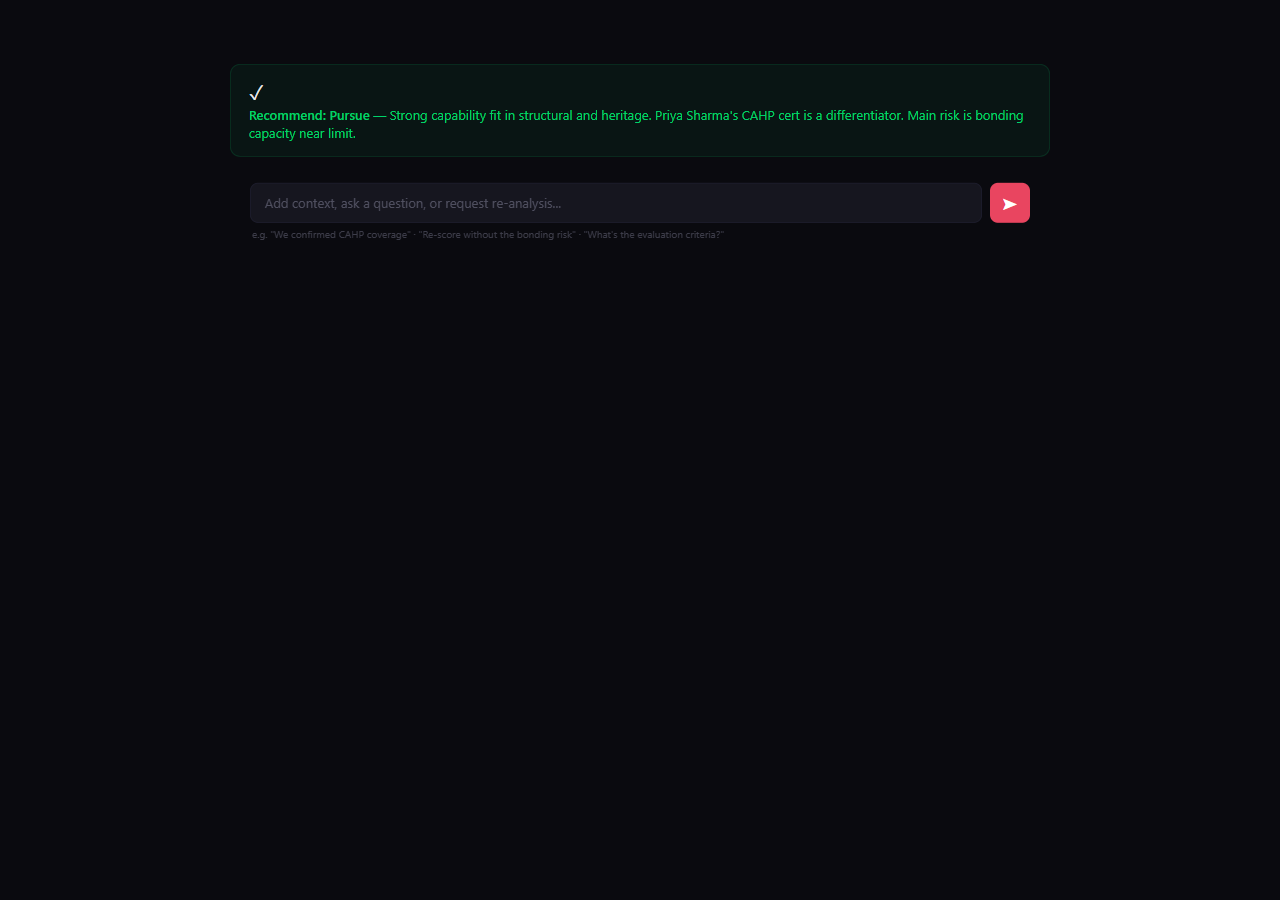
Ask one follow-up
"Are the bonding requirements within our capacity?" One paragraph back, with the relevant clause cited.
9:35 AM
Team flags interest
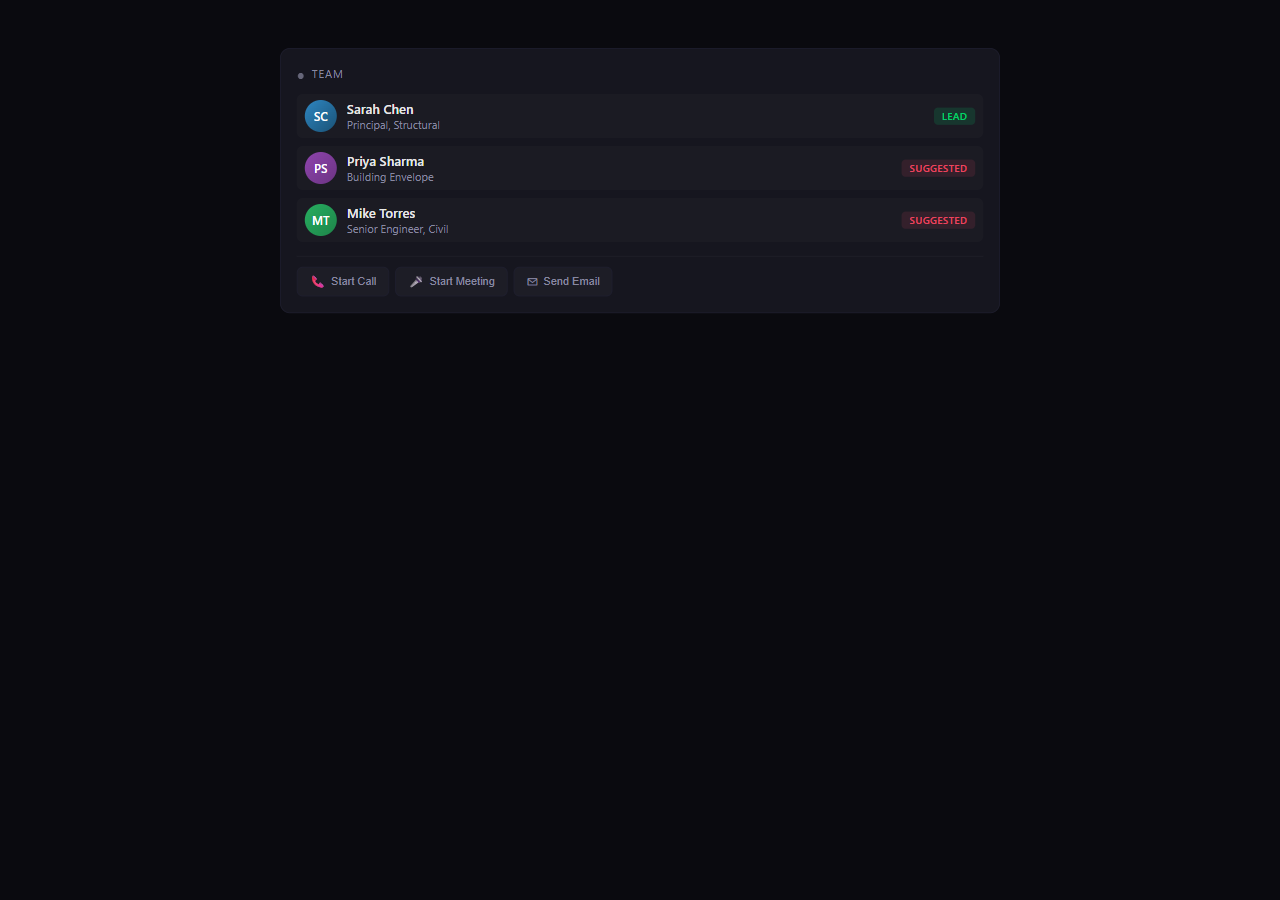
Three suggested staff get pinged. Two flag interested, one says pass. Lead is now picked.
10:00 AM
Decision
Lead clicks Pursue with a one-line rationale. Submission to-dos are on the calendar. The room never had to meet.
What it actually does
Three jobs, done in the background.
Ingest
Whatever the proponent sends you, in whatever format they sent it.
PDF · DOCX · XLSX · PPTX
MSG · EML · RTF
TXT · CSV
Nine formats. Folder drops supported.
Score
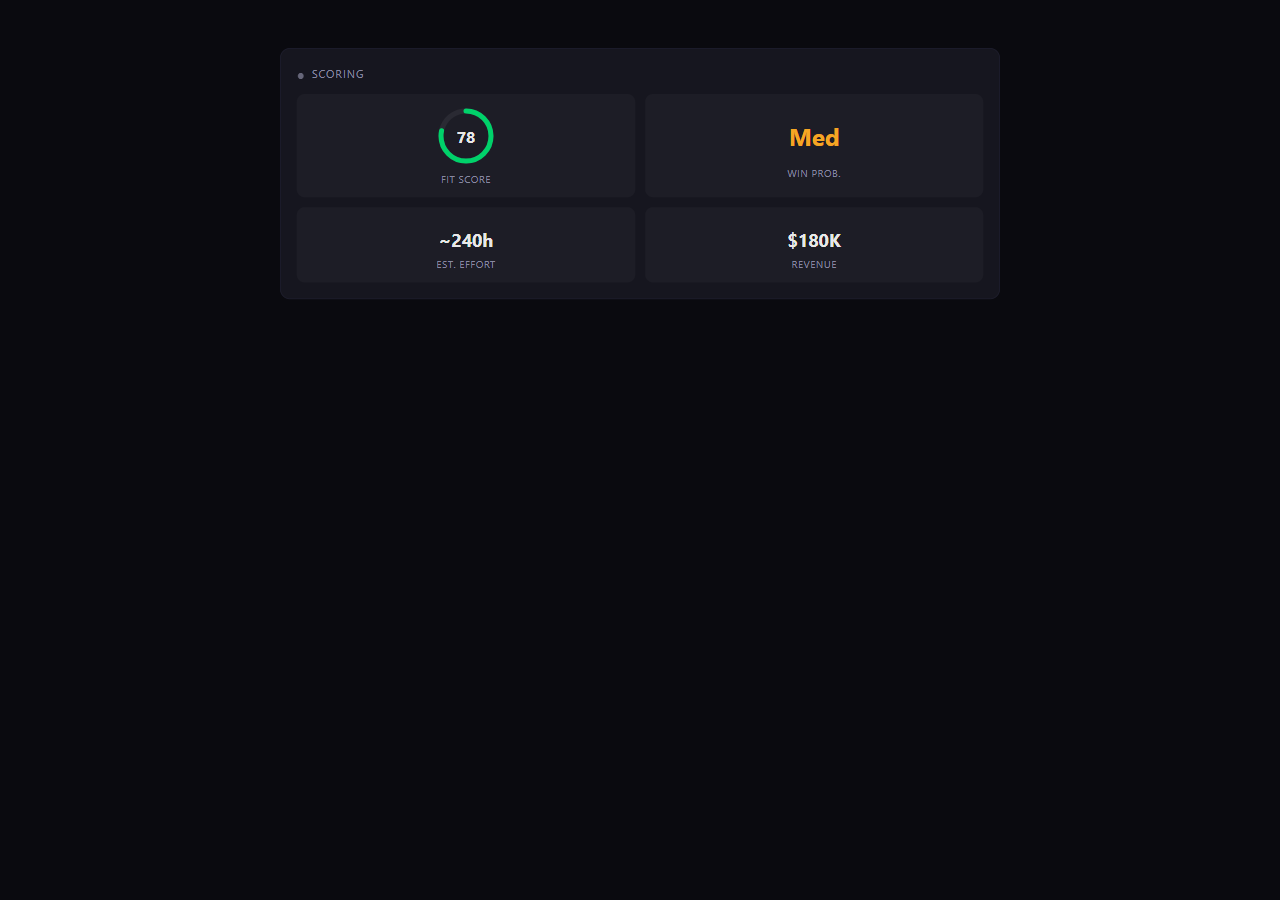
A defensible bid/no-bid recommendation, not a vibe.
Fit Score
Win Probability
Effort Estimate (hours)
Revenue Potential
Six weighted factors. All tunable.
Flag
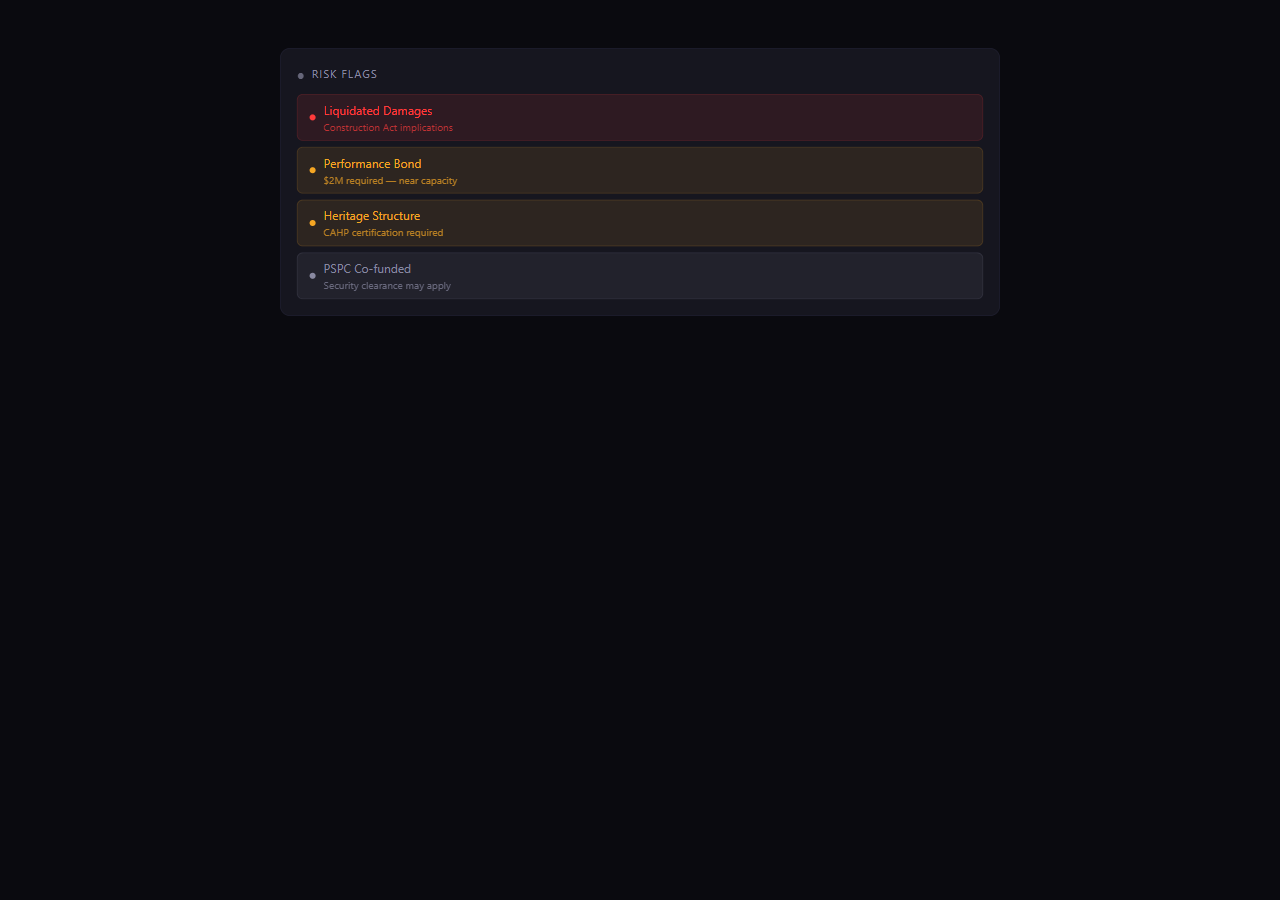
The clauses that quietly cost firms money, surfaced up front.
Liquidated damages
Performance bond & bonding capacity
Indemnification scope
Compressed schedule, no exceptions
Sixteen risk triggers. Severity-rated.
It knows your documents
Ask it anything.
It has read every page of every document. So you can ask:
"What are the bonding requirements?"
"Compare the insurance requirements to our coverage."
"Is there a local preference clause?"
"Re-score without the bonding risk."
Tuned to your priorities, not a generic model
You decide what matters.
Capability fit
30%
Experience alignment
20%
Geographic match
15%
Resource availability
15%
Revenue potential
10%
Strategic value
10%
Defaults shown. Edit one TOML file to change them. No retraining. No vendor.
Ontario-aware, not generic AI
It speaks the dialect.
CCDC contract form references
OBC / NBCC code references in scope
Construction Act terms — holdback, prompt payment, lien
Merx & bids&tenders procurement patterns
Ontario P.Eng requirements
PSPC vs provincial vs municipal RFP styles
CSA standards references
It remembers
Every RFP you analyze makes the next one smarter.
People
Skills, certifications, availability
Who's a P.Eng? Who has CAHP? Who's between projects right now?
Projects
Past wins and references
"Show me bridge rehab projects from the last ten years with a contact who'd give a reference."
Clients
Relationship history
"How many times have we proposed to this owner? Win rate? Contracting style?"
Credentials
Tracked, with expiries
"Insurance certificate is up to date. CAHP renewal is in 14 months. Bonding line at 78% of capacity."
Next time the system sees "CAHP-qualified lead required", it doesn't just flag the requirement — it suggests the two people who hold it and tells you which one is currently available.
More than RFP analysis
It documents your capability stack — that's what RFPs get tested against.
The back end isn't decoration. It's a structured map of who in your firm does what,
with which credentials, on which projects, for which clients. When an RFP arrives,
its requirements are matched against your real graph — not against
generic AI knowledge of "engineering firms."
Every fact carries provenance — what document it came from, when it was extracted, and what changed since. Nothing in the graph is conjured out of thin air. You can trace any claim back to the source.
Same pipeline, more than RFPs
Drop in a CV. A project closeout. A credential certificate. The graph grows.
The same nine-format ingestion pipeline that reads RFPs reads everything else. Every document
is classified, structured entities are extracted, and the relationships between them are wired
up automatically — with the source file linked back for audit.
Resume Drop a CV
→
Adds the person, the credentials they hold, the disciplines they specialize in, and the projects they've worked on.
Project closeout Drop a project record
→
Updates the project with outcome, fee, and links it to the client, the team, and any reference contacts.
Credential Drop a certificate PDF
→
Records the credential — type, value, expiry — and links it to the holder. Renewals get tracked automatically.
Capability statement Drop a marketing doc
→
Pulls out covered disciplines, named capabilities, partner organizations, and the people associated with each.
What else this unlocks — once the graph is fed
Gap analysis
"Across the last 30 RFPs, the most common requirement we couldn't meet was…"
Workforce planning
"Whose certifications expire before our next big pursuit window?"
Reference scouting
"Pull every project we've done for this owner, with reference contacts."
Capability discovery
"We have four people with CAHP. Two are on active pursuits. Here are the other two."
Nobody duplicates work
Everyone reads the summary, not the whole stack.
1
Lead assigns the team based on the auto-extracted requirements.
2
Each person flags themselves interested, available, or pass.
3
Lead hits Accept or Decline with rationale. Decision is logged.
"That two-hour meeting becomes a five-minute review."
Deadlines & deliverables, tracked from day one
Nothing falls through the cracks.
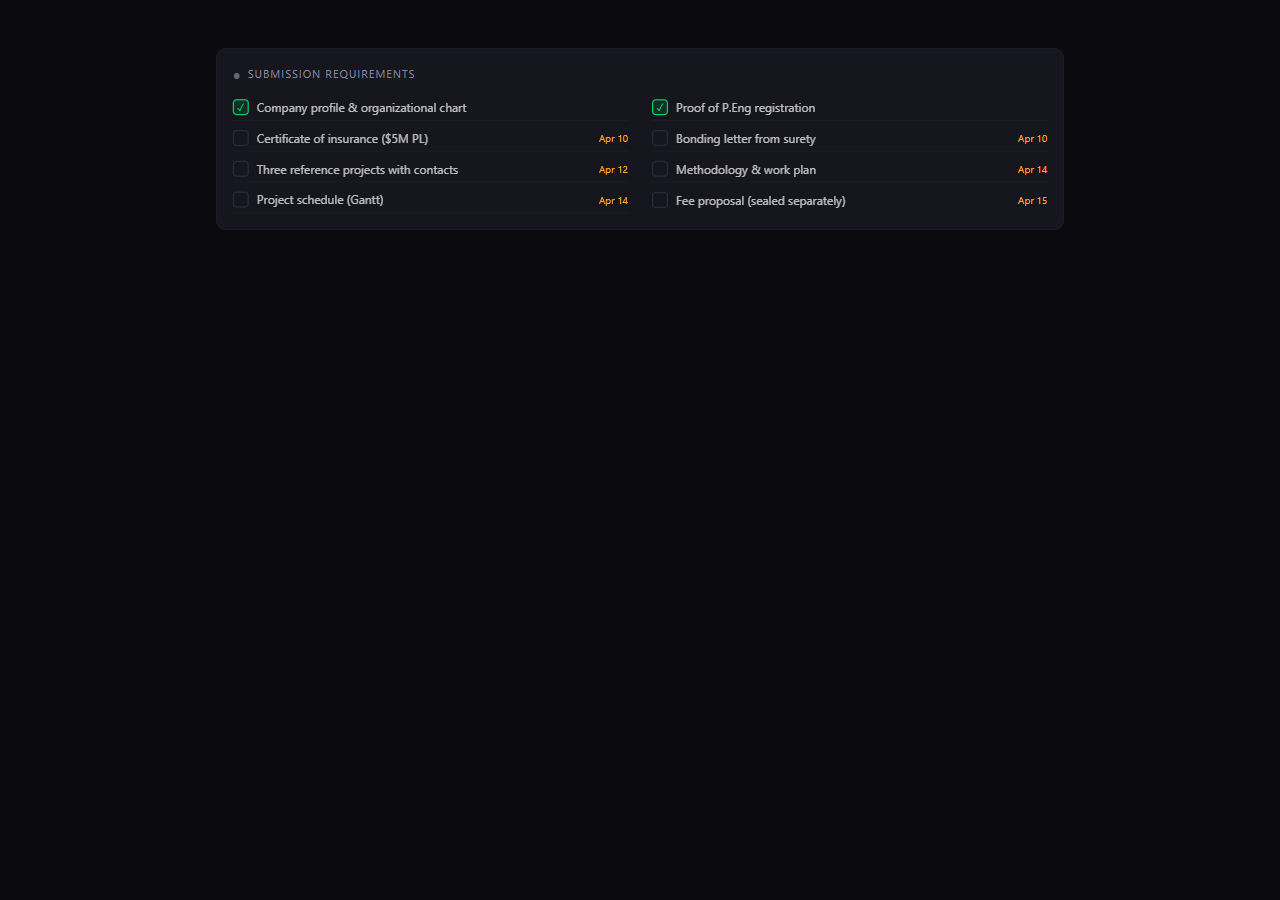
It pulls every submission requirement out of the RFP — insurance certs, bonding letters, references, methodology, fee proposal — and dates each one.
A to-do list appears, color-coded by urgency. Assign items to people. Check them off as you go.
A one-click .ics export drops every milestone (site visit, Q&A deadline, submission, award) onto your calendar.
It can also generate a kickoff agenda for the team meeting — as a Word doc — so you walk in already aligned.
Multiple pursuits, one view
The whole pipeline at a glance.
Each pane is one RFP. At a glance: what's pursuing, what's decided, what's about to lapse.
Where the data lives
Your firm's documents stay on your firm's machines.
Runs on
A laptop or a small server
Python + SQLite + a static frontend. No cloud, no Docker, no IT project to install.
Only the document text and your prompts go out. No team data, client lists, or pricing.
No SaaS subscription. You pay per analysis — on the order of cents to a few dollars per RFP, depending on size.
No vendor lock-in. The database is a single SQLite file. The configuration is a single TOML file. You can move it tomorrow.
You can pull the plug. Stop the server, delete the folder. Your data is on your disks, not someone else's.
Scale
Years of compounding data, one file.
The architecture — SQLite + an indexed entity-relationship store + raw Python —
is good for years of cumulative use without a re-platforming. Honest numbers below.
1 file
Storage
SQLite with proper indexes on every entity type, source file, and relationship edge. A typical ten-year practice still fits in under a gigabyte.
100K+
Entities & edges
People, projects, credentials, clients, relationships. Sub-second queries through tens of thousands of records on a laptop.
Hundreds
Documents per RFP
Multi-format ingestion runs in parallel. There's no per-RFP cap; large pursuits with addenda and appendices are fine.
$0.10–$3
API cost per RFP
Linear with document size. Cap monthly spend if you want a hard ceiling. No per-seat licensing, no annual minimum.
No cap
RFPs over time
Index time stays fast through tens of thousands of analyzed pursuits. Archive old ones if you want them out of the active view.
2 files
Portability
Database is one SQLite file. Configuration is one TOML file. Move both to a different machine in seconds. No migration script.
We're nowhere near the architectural ceiling. The bottleneck isn't the system — it's how much data you decide to feed it. And whatever you feed it, you can carry to the next machine in two files.
Pipeline prioritization (value × probability × fit)
Could this help you?
01
Pick one RFP you'd normally have to read cold.
02
Drop it in. See what comes back.
03
Tell me what's wrong with it — what it missed, what it got right, what it should do differently.
Or — if you'd rather see it live
Give me thirty minutes. Bring a real RFP — ideally one you've already decided on, so we can compare. We'll drop it in together, walk through the analysis, and you can ask it anything you want about your documents.
It's not finished. Your reaction is what tells me what's next.